
Dictation keyboard for iOS
HandFree for iPhone
Switch to the HandFree keyboard, hold the mic, and speak. Lift your finger to put the transcript where you're typing.
iOS 26 or later · English, Simplified and Traditional Chinese · Internal beta
Dictation keyboard for iOS
Switch to the HandFree keyboard, hold the mic, and speak. Lift your finger to put the transcript where you're typing.
iOS 26 or later · English, Simplified and Traditional Chinese · Internal beta
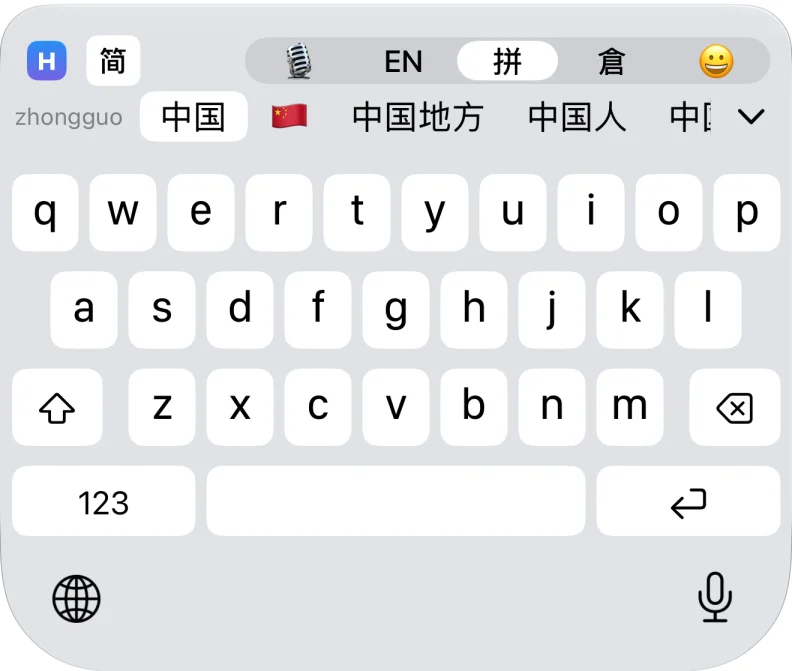
The first tap opens HandFree to get the mic ready. Return to the app you were using, then hold the mic to dictate.
Switch between English, Pinyin, Cangjie, and emoji on the same keyboard.
Apple's speech recognition runs on your iPhone by default. Add your own provider key if you want cloud recognition or AI text cleanup.
HandFree for iPhone is in internal TestFlight testing. Public downloads are unavailable.
In tribute
HandFree is based on Typefree by Rui Wang and is licensed under GPLv3.